
A 7 PM court opens. The front desk starts calling around.
Websites and software built by GGS
See what we build
for sports facilities.
We build facility websites, booking automations, front-desk tools and payment reports.
Pick a problem, explore the fix and estimate its value. Then watch the full workflow.
Basketball · Tennis · Soccer · Pickleball · Padel · GolfYour facility. A better working day.
Pick the problem.
See the fix.
More chances to book. Less time chasing details.
Explore an example, then try your own numbers.
A cancellation should start a follow-up.
Illustrative exampleSet up waitlist alerts and a booking link. Use your existing software first.
- Court 2 / 7 PMOpen
- Opted-in waitlistAlerted
- ReservationPlayer books
Interested players get the opening. Your booking app confirms the reservation.
What if? / Sample monthly estimate$900Potential additional gross revenue / month
12 additional bookings × $75 per booking
Count only bookings recovered above your usual baseline. Gross revenue excludes delivery costs, fees and GGS project or support costs.
Illustrative assumptions, not measured client results or a forecast.
Watch the full exampleTry your facility’s numbers
Change the assumptions to match your facility. We validate the baseline and expected benefit before quoting.
Already using these tools?CourtReserve · Playtomic · Mindbody · Upper Hand · QuickBooks · Stripe
We check what your plan supports, configure useful built-in features, and scope the connections you still need. These are platforms we assess, not partner endorsements or prebuilt GGS integrations.
CourtReserve
Start with its existing waitlists and reminders. Custom connections require eligible API access.
Check API accessPlaytomic
Booking data can support reporting and follow-up. Its current API is read-only, so bookings stay in Playtomic.
Check supported accessMindbody
Booking and client updates can drive connected follow-up once developer and business access is approved.
See connection requirementsUpper Hand
Put registration and membership links on your website. Deeper automation needs a separate access check.
See website optionsQuickBooks + Stripe
Check the existing Stripe Connector first. Add booking context and exception reports where the standard setup leaves gaps.
See the existing connector01 / Pickleball / Rentals & bookings
The 7 PM pickleball court just opened up.
The booking changed. Now someone has to find a player, confirm the slot and keep the front desk in the loop.
GGS WORKFLOW STORIES / 01Illustrative walkthrough · No live connections

6:02 PM / The cancellation
A prime-time slot goes empty.
Thursday / Court 4
Beginner coachingCoach Alex · 60 min
Court availableCancellation · 60 min
Doubles club nightMembers · 90 min

Meanwhile, at the desk
Court 4 / 7 PMCancellation recorded
OpenMember requestsWaiting in another list
3 waiting“Did anyone tell the evening players?”
One opening. Two places to check.
A cancellation in the booking app does not always reach the people who could use the court.
24-second walkthrough
Ready to play.
THE NEED
Make an opening actionable while there is still time to use it.
WHAT GGS SETS UP
Discuss this service Connect your booking rules, opted-in waitlist and staff exception queue. Confirm availability again before any reservation.
Monthly care: Watch for failed handoffs, review unfilled openings and maintain agreed booking rules.
Read the whole scenario
- A prime-time slot goes empty.
A cancellation in the booking app does not always reach the people who could use the court.
- Find the players who asked for this time.
Use the club’s existing waitlist and contact permissions; route gaps in the process to a named staff owner.
- The player chooses to book.
The member follows the offer. A live build would recheck that the court is still available before confirming.
- One booking. The same answer everywhere.
In this illustrated outcome, a member accepts. The desk sees the reservation and the follow-up is closed.
- If plans change: An empty slot stays visible.
An expired offer creates a follow-up task. The system never invents a booking or discounts a slot without the club’s rules.
02 / Soccer / Programs & first visits
“Do you have beginner soccer sessions after work?”
The question arrives after the desk closes. The details, the right program and the follow-up live in different places.
GGS WORKFLOW STORIES / 02Illustrative walkthrough · No live connections

8:42 PM / After the desk closes
An interested player is waiting.
G
Example Soccer ClubIllustrative member conversation
8:42 PM
Hi! Are there beginner soccer sessions on Tuesdays? I finish work at 5.
A question without an owner
Casey / Program questionTuesday · after 5 PM
NewCurrent statusNo team member assigned
Unassigned“Who knows which group is the right fit?”
Capture the actual question, not just a name and email.
Casey asks about a beginner session after work. It is an inquiry, not a membership or a confirmed booking.
24-second walkthrough
Ready to play.
THE NEED
Give interested people a clear next step and someone responsible for it.
WHAT GGS SETS UP
Discuss this service Connect website inquiries, your program list and the team’s follow-up queue. Use approved replies and real availability.
Monthly care: Check unanswered inquiries, maintain routing rules and review broken scheduling handoffs.
Read the whole scenario
- An interested player is waiting.
Casey asks about a beginner session after work. It is an inquiry, not a membership or a confirmed booking.
- Give the team useful context.
Route the request to the program team with the preferred time and program interest. Staff review the match.
- Offer a session that actually fits.
Once staff confirm suitability and availability, the player receives an invitation. The player still chooses whether to book.
- The front desk knows who is coming.
The booking is linked to the inquiry. Staff get the arrival task and can follow up after the visit.
- If plans change: Keep the conversation honest.
When the approved options do not fit, staff get a task to discuss alternatives. No unsuitable session is booked.
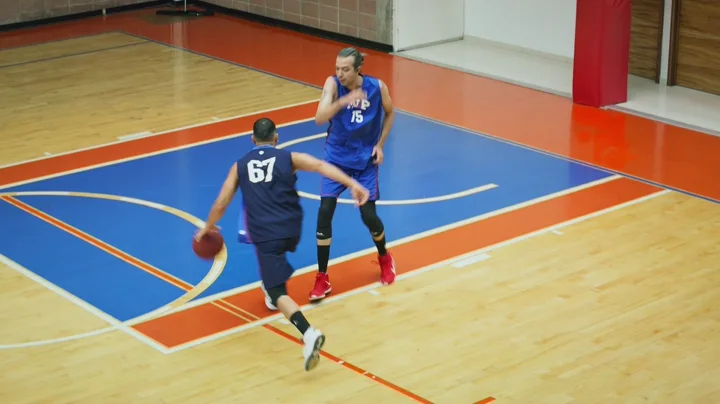
03 / Basketball / Clinics & team handoffs
Twenty-four players. Two missing pieces.
The basketball roster says 24. One waiver is missing and a coach has not confirmed. The next shift needs to know before families arrive.
GGS WORKFLOW STORIES / 03Illustrative walkthrough · No live connections
3:00 PM / One hour before start
The roster is not the whole picture.
Today / 4 PM basketball clinic
24Registered
23/24Waivers recorded
1/2Coaches confirmed
Court setupBasketballs, cones and two stations
ReadyCheck-in listOne registration on hold
ReviewTwo gaps before doors open
One waiver missingFront desk needs to follow up
UnassignedSecond coach not confirmedProgram manager needs to check cover
Unassigned“Is the next shift looking at the latest list?”
Registration count does not mean everyone is ready.
Registration, waiver status and staffing are in separate places. The clinic needs a shared view of what is still missing.
24-second walkthrough
Ready to play.
THE NEED
Make missing items visible to the people who can resolve them.
WHAT GGS SETS UP
Discuss this service Bring roster, waiver status, staffing and setup tasks into one readiness view with named owners and due times.
Monthly care: Check data syncs, maintain the agreed readiness rules and review overdue handoffs with your team.
Read the whole scenario
- The roster is not the whole picture.
Registration, waiver status and staffing are in separate places. The clinic needs a shared view of what is still missing.
- Turn the gaps into specific tasks.
The front desk owns the missing waiver follow-up. The program manager owns coach cover. Both have a visible due time.
- Update the plan when the source changes.
In this outcome, the waiver is recorded in the source system and the second coach confirms. The readiness view reflects both updates.
- One plan for the staff at the door.
The desk and coaches get the same current roster and completed checklist. Any remaining hold would stay visible.
- If plans change: A missing item cannot become a green check.
The facility’s check-in rule keeps that registration on hold. Staff see who needs follow-up while the other 23 are cleared.
04 / Golf / Payments & reporting
The bookings say $1,200. The bank doesn’t.
At your simulator facility, fees, refunds and settlement dates make the numbers look different. Your bookkeeper needs the supporting records.
GGS WORKFLOW STORIES / 04Illustrative walkthrough · No live connections

Friday / The weekly review
Three sources. Different amounts.
This week’s sample activity
Simulator bay rentals$840.00
Golf lesson registrations$360.00
Gross collected$1,200.00
A smaller number arrived
$1,104Deposited · sample payout P-104
A $96 differenceFind the supporting detail
Different amounts need context before anyone changes the books.
The owner sees gross sales in the booking app and a smaller bank deposit. The explanation is spread across payment records.
24-second walkthrough
Ready to play.
THE NEED
Give your bookkeeper the records behind the difference.
WHAT GGS SETS UP
Discuss this service Connect agreed exports or available APIs, map related records and assemble a reviewable handoff. Financial rules stay with your bookkeeper.
Monthly care: Check imports, investigate technical failures and maintain mappings as your software changes.
Read the whole scenario
- Three sources. Different amounts.
The owner sees gross sales in the booking app and a smaller bank deposit. The explanation is spread across payment records.
- Show what changed the amount.
The sample batch contains $60 in refunds and $36 in processing fees. Their records explain the $96 difference.
- Compare the expected amount with the deposit.
The net expectation matches this fictional bank deposit. A reviewable match includes its source records, not just a green total.
- The bookkeeper gets the explanation with the numbers.
Prepare the linked activity, refunds, fees and payout comparison for review. Posting and accounting treatment remain with the bookkeeper.
- If plans change: Expected is different from received.
With no deposit recorded yet, keep the payout pending. A timing difference is not automatically missing money or a loss.
These are fictional walkthroughs of possible workflows, not client results or connected products. All bookings, messages, people and amounts are examples. Nothing is sent, reserved or posted.